Self-Order Kiosk
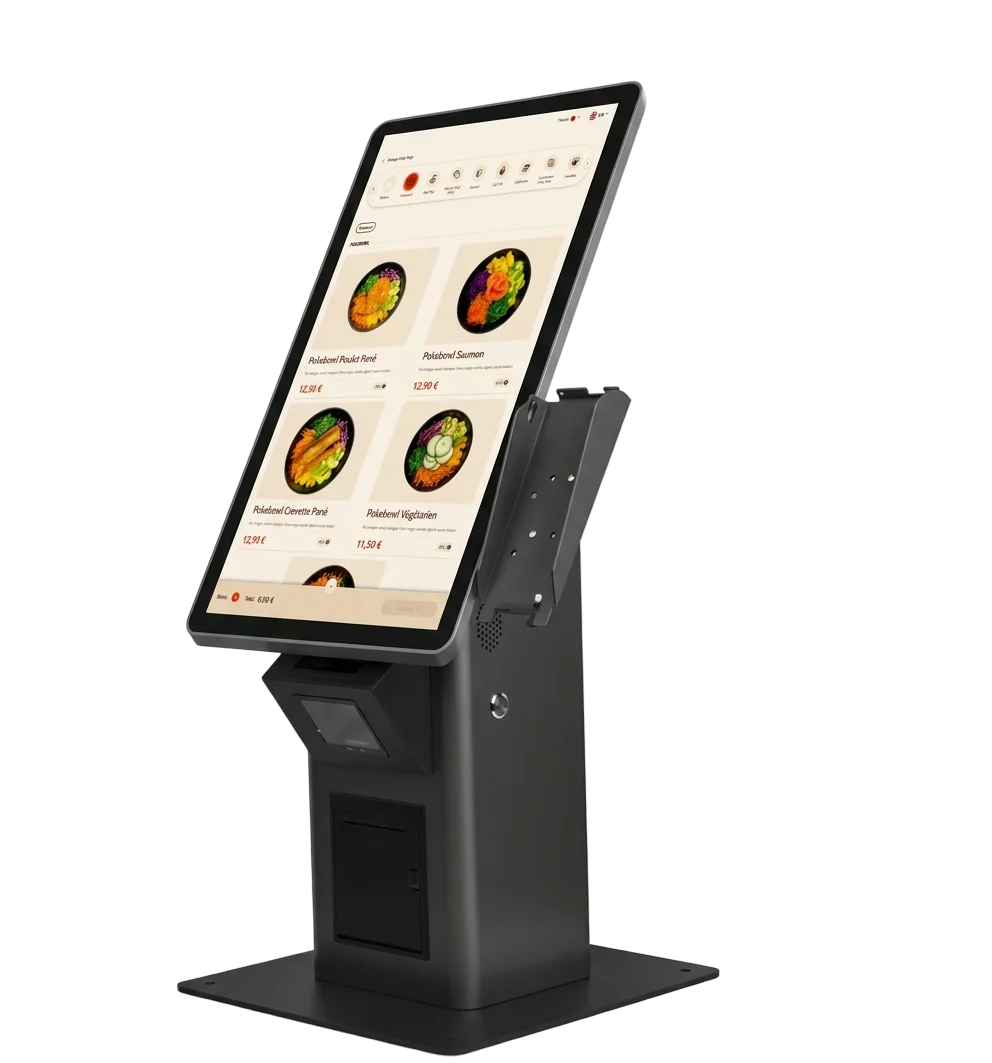
Sumio self-order kiosks let guests browse your full menu, customize every item and pay on the spot. Queues get shorter, orders get bigger and your team can focus on cooking and serving.
- Touchscreen models from 21" to 32"
- Automatic upsell suggestions for extras and drinks
- Payment by girocard, credit card or contactless
- Orders go straight to the kitchen display or printer
- TSE-compliant (KassenSichV)
- girocard, cards & contactless
- GDPR-compliant, hosted in the EU
- Kiosk, webshop, POS & more
- Support 7 days a week
- Based in Braunschweig, Germany
Everything you need
Guests browse your menu, customize their order and pay at the kiosk, while your team focuses on the food.
A menu that sells
Large photos and clear categories make it easy for guests to find, customize and order what they want.
Smart upselling
The kiosk suggests extras, sides and drinks at the right moment to raise the average order value.
Integrated payment
Guests pay by girocard, credit card or contactless (Apple Pay, Google Pay) directly at the kiosk.
Straight to the kitchen
Paid orders go directly to your kitchen display or receipt printer, with nothing typed twice.
Menu changes in real time
Update dishes and prices in the cloud dashboard and they are live on every kiosk right away.
Hardware that fits
Models from 21" to 32" for wall, counter or floor, with installation and staff training by our team.
- Quick Service (QSR)
- Café
- Pizzeria
- Casual Dining
- Food Truck
Our Kiosk Models
Choose the perfect size touchscreen for your needs.
Try It Yourself
This is the exact experience your customers get. Tap around and place a test order — no signup needed.
This is a sandbox demo — no order is sent or charged.
How It Works
From consultation to launch in 4 simple steps.
Consultation & Setup
We analyze your specific needs and design a custom solution.
Menu Integration
We digitize your menu with high-quality images.
Installation & Training
We handle hardware installation and staff training.
Launch & Support
Support 7 days a week and regular software updates.
Works even better together
Start with one product or get the complete package. Everything shares the same menu, the same kitchen flow and the same dashboard.
Frequently Asked Questions
How much space does a kiosk need?
It depends on the model: the compact 21" kiosk can be mounted on the wall, the larger models stand on the floor. During the free consultation we help you find the best spot.
Is the kiosk hardware included in the monthly price?
No. The monthly plans cover software, support and updates. The kiosk hardware is a one-time purchase that depends on the model. All prices exclude VAT.
How long does it take to go live?
Usually 2 to 4 weeks from signing to go-live, including menu setup, installation and staff training.
Ready to Transform?
Schedule your free consultation and demo.